
AFTER THE SHOOT
You know a great photo when you see it.
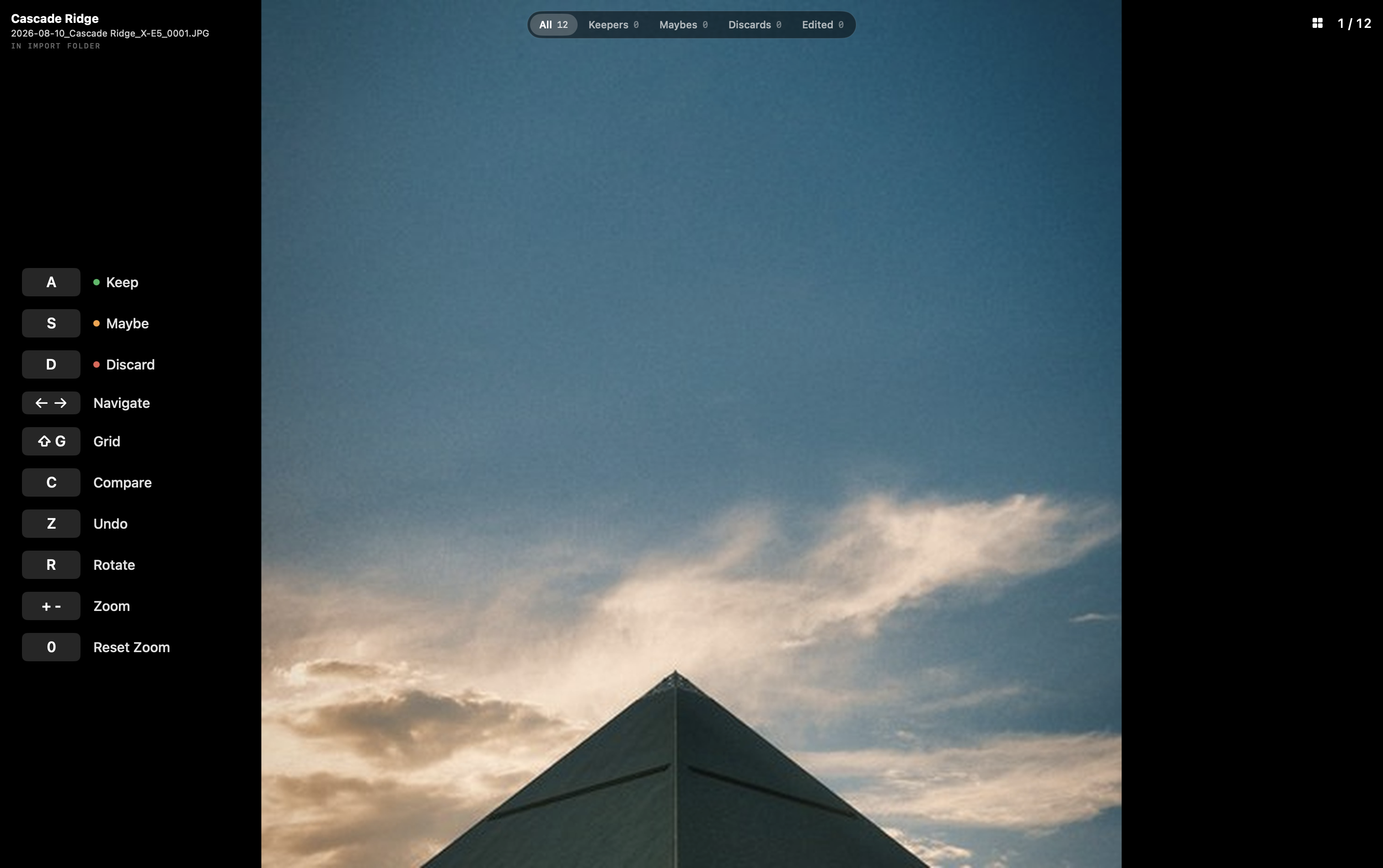
Plug in a card. Valkyrie takes everything off it, names it the way you already name things, and puts you in front of one photograph at a time, full screen, one key per frame. It never guesses which ones you want. It just stops everything else getting between you and the picture.
FREE 14-DAY TRIAL · $29.99 ONCE · MACOS 13 AND LATER
THE CULL
Everything before the decision is just moving files.
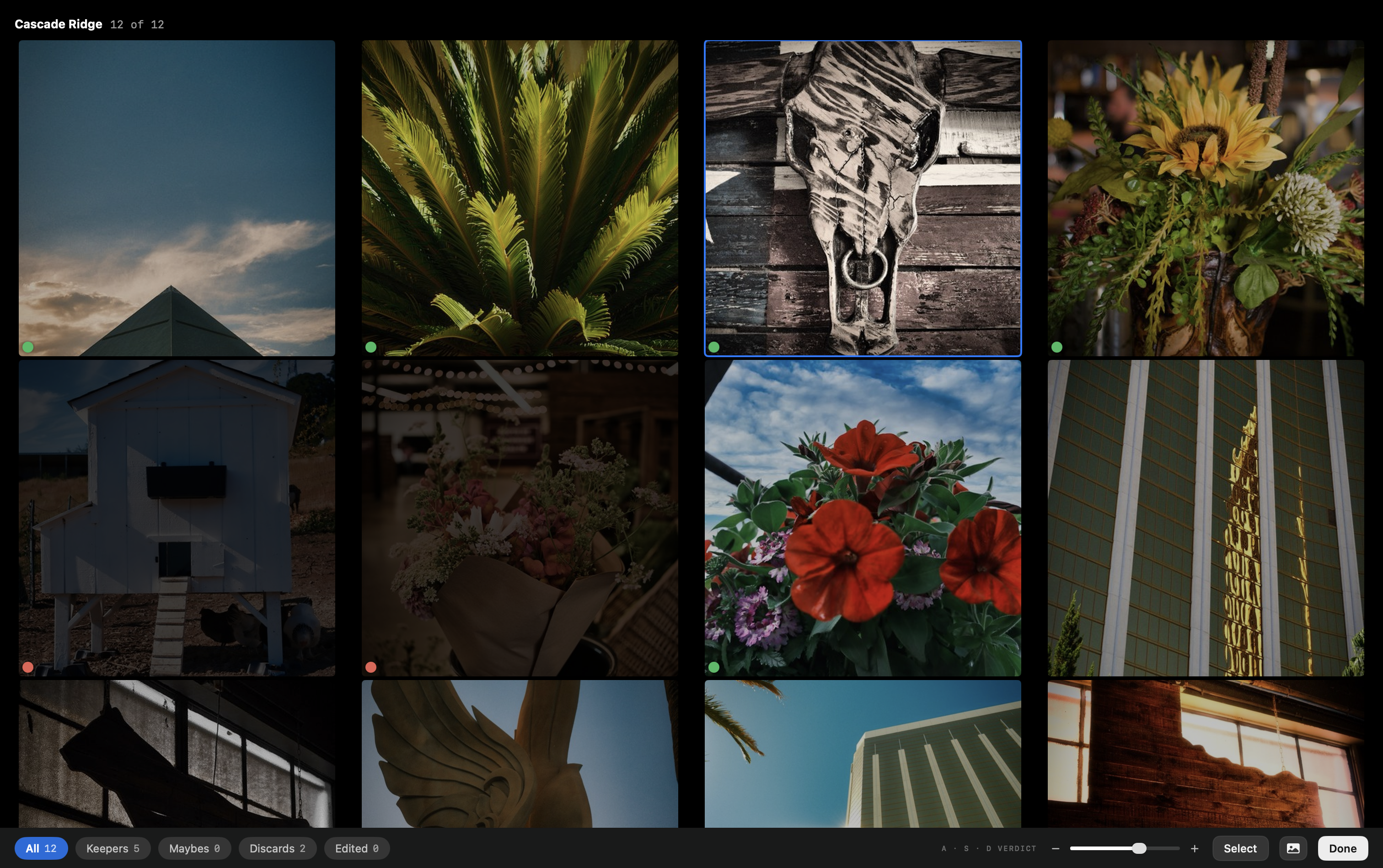
Copying, renaming, sorting into folders, working out which shoot a card belongs to. None of it needs you, and all of it stands between coming home and looking at the work. Valkyrie does that part on its own, then gets out of the way. When you're deciding, the verdict is a small mark at the edge of the frame. Nothing tints the image, nothing overlays it, nothing competes with it.
THE HANDLING
Done before you sit down.
Plug in and walk away
Valkyrie starts the moment a card appears. A card holding more than one day becomes separate shoots. Sidecars follow their files. Duplicates go by a rule you set once, not a dialog you answer every time.
The convention you already keep
Folders and filenames are built from tokens, so the structure you have been typing by hand happens without you. One token reads the film simulation straight out of the file, so a shoot can sort by the look you shot it with.
Keepers land where you edit
Whatever survives goes to a Ready To Edit folder for whichever editor you use. Nothing moves on to Finished until Valkyrie can see a real edit, or until you say so yourself.
Always a way back
Rejects pile up, and Purge clears them out. Deletions go to the Trash and stay reversible from the Recent Actions trail, so clearing space is never a decision you have to be sure about. The one operation that cannot be undone says so before you confirm it.
AT THE DESK
A hundred frames. Forty looks. Walk away.
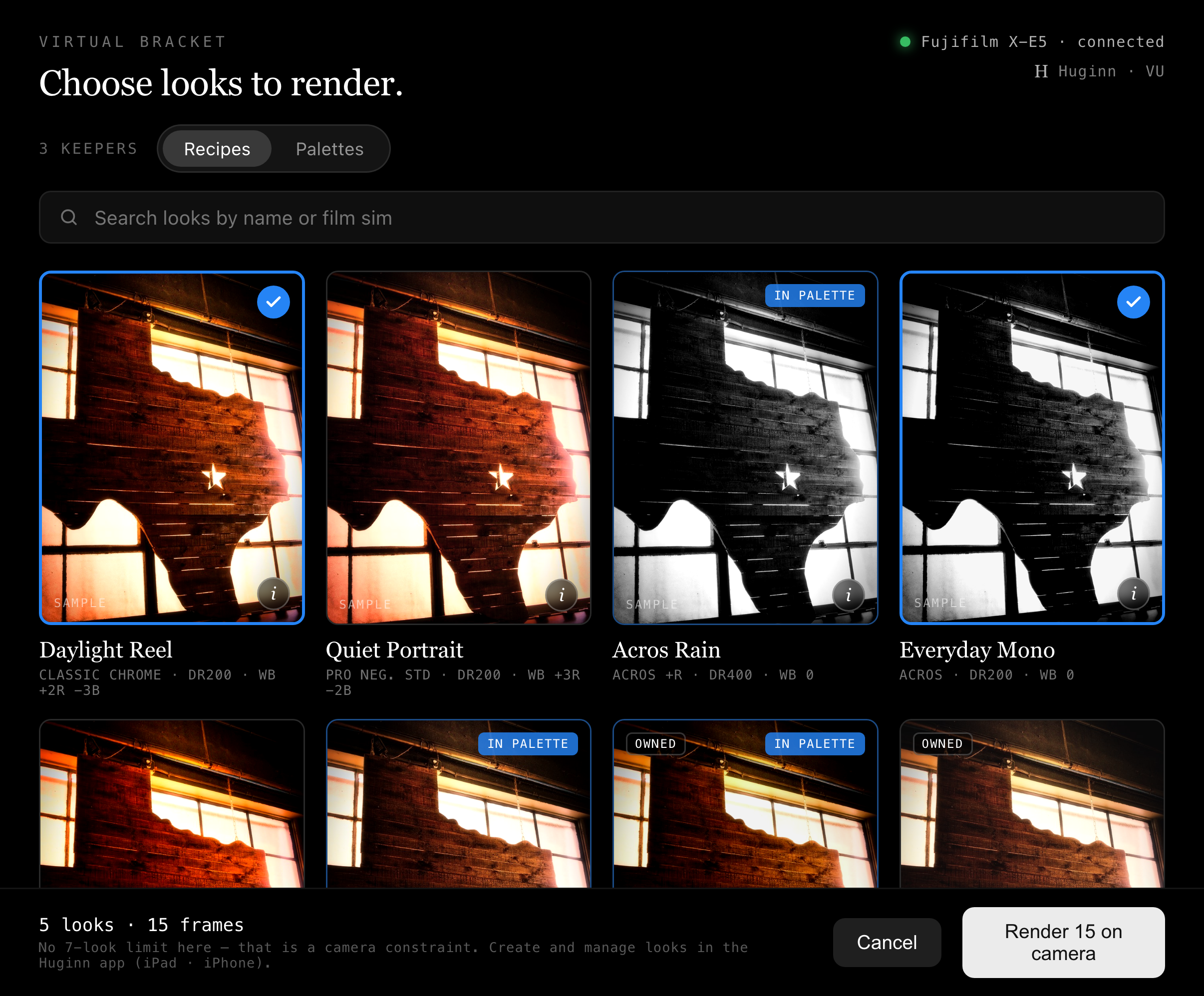
Virtual Bracketing sends the frames you kept back to the camera and lets its own processor render them through your Huginn recipes. Not a filter, not an approximation: the same engine that made the JPEG in the first place. Queue a whole shoot across every look you own and go and do something else.
Two things worth saying plainly. This one feature needs an active Huginn Pro subscription, which belongs to a different app. And Valkyrie reads your recipes from your own iCloud account, which is the only network access it has anywhere. Your iCloud, not our server. We never see it.
THE NAME
A valkyrie chooses who is carried on to the halls of Valhalla.
In the old stories the valkyries rode over the battlefield after the fighting and chose. The name means chooser of the slain. They decided who was left behind and who was carried on to the hall, and that choosing was the whole of their work. Not the battle. What survives it.
A card comes home with four hundred frames on it and maybe thirty deserve your attention. That is the job this app does, and it is the part of the work nobody looks forward to. Valkyrie puts you in front of one photograph at a time, takes a single keystroke, and carries the survivors through to where the real editing starts.
SEE HOW IT WORKS
The shoot, cut down to the frames that survived.
ALLFATHER
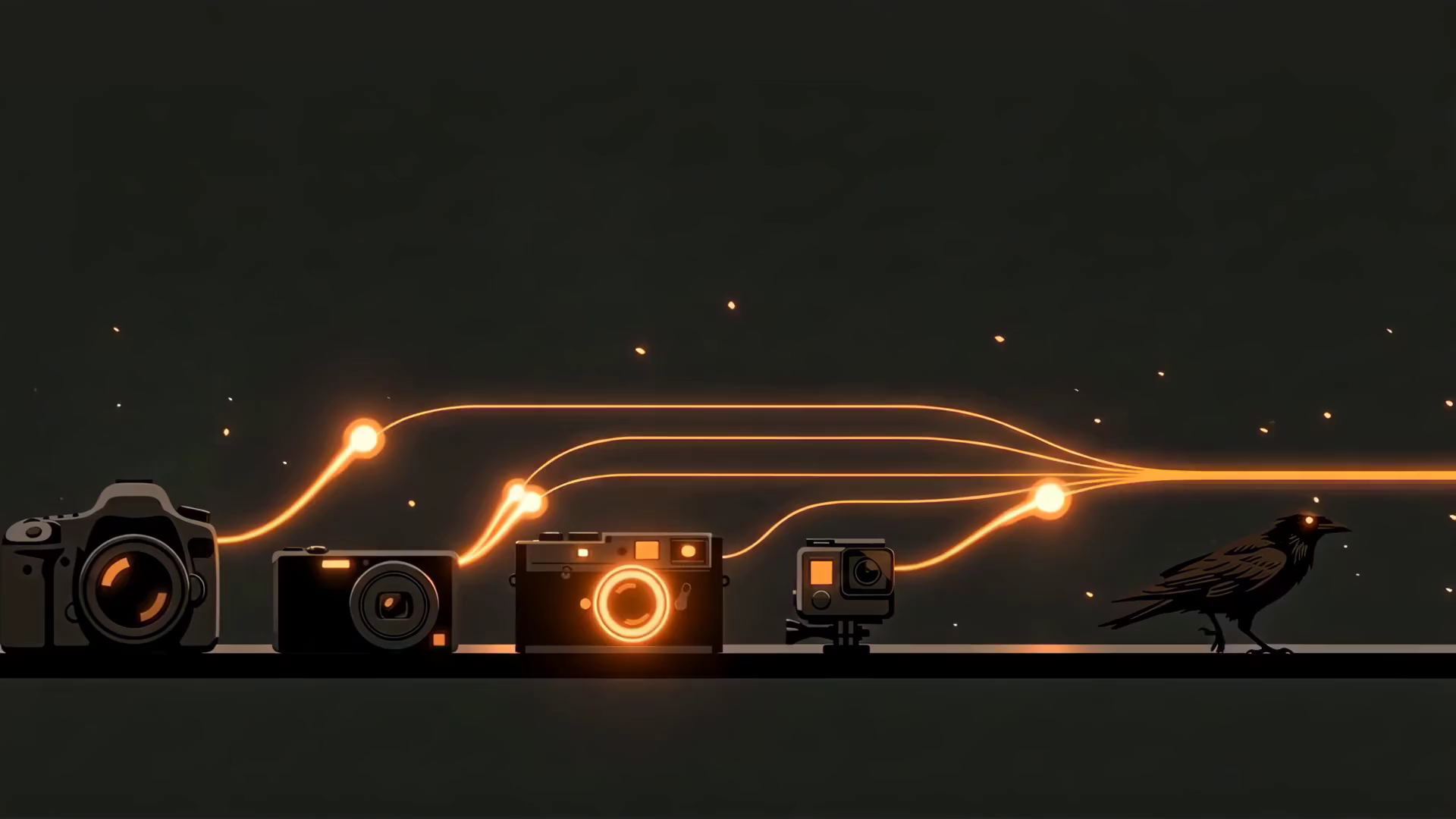
Huginn carries the look out. Valkyrie chooses. Muninn remembers.
Huginn
CHOOSE THE LOOK
Choose and tune the look before the shot, and push it to the camera over a cable or wirelessly.
Valkyrie
DECIDE WHAT STAYS · YOU ARE HERE
Bring the shoot in, name it, and cull it down to what you will actually use. Then render those frames through your looks at the desk.
Muninn
SHOW THE WORK
Publish the finished frames, and put your portfolio in front of a gallery audience.
One identity across all three, through your own iCloud. The look you picked before the shutter follows the photograph all the way to the gallery.
Keep up with Valkyrie.
Release notes when there's a release, and the occasional word from the studio about what we're building next. Nothing else, and never often.